01
Smart scheduling
Build weekly schedules, copy days, apply templates, publish shifts, track edits, manage swaps, and fill open shifts with availability-aware assignments.
The operating system for restaurants, bars, lounges, event venues, and hotels. Schedule staff, manage reservations, track floors in real time, monitor inventory, record hours with a geofenced time clock, run CRM for events, generate reports, and keep your team connected — all in one mobile app and web workspace.
Start on the web, then log in on mobile with the same email. Owners, managers, and staff stay connected in one Venue Wrangler workspace.
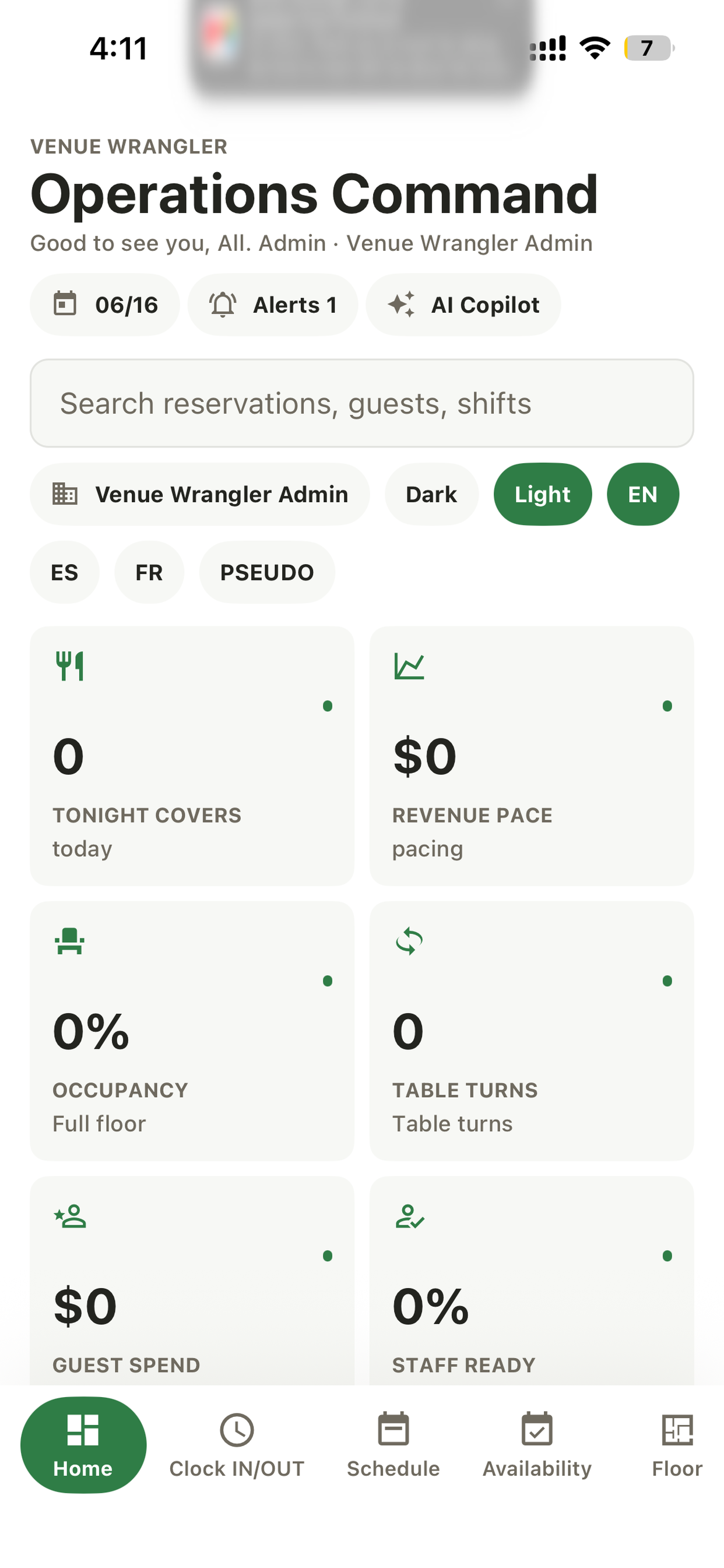
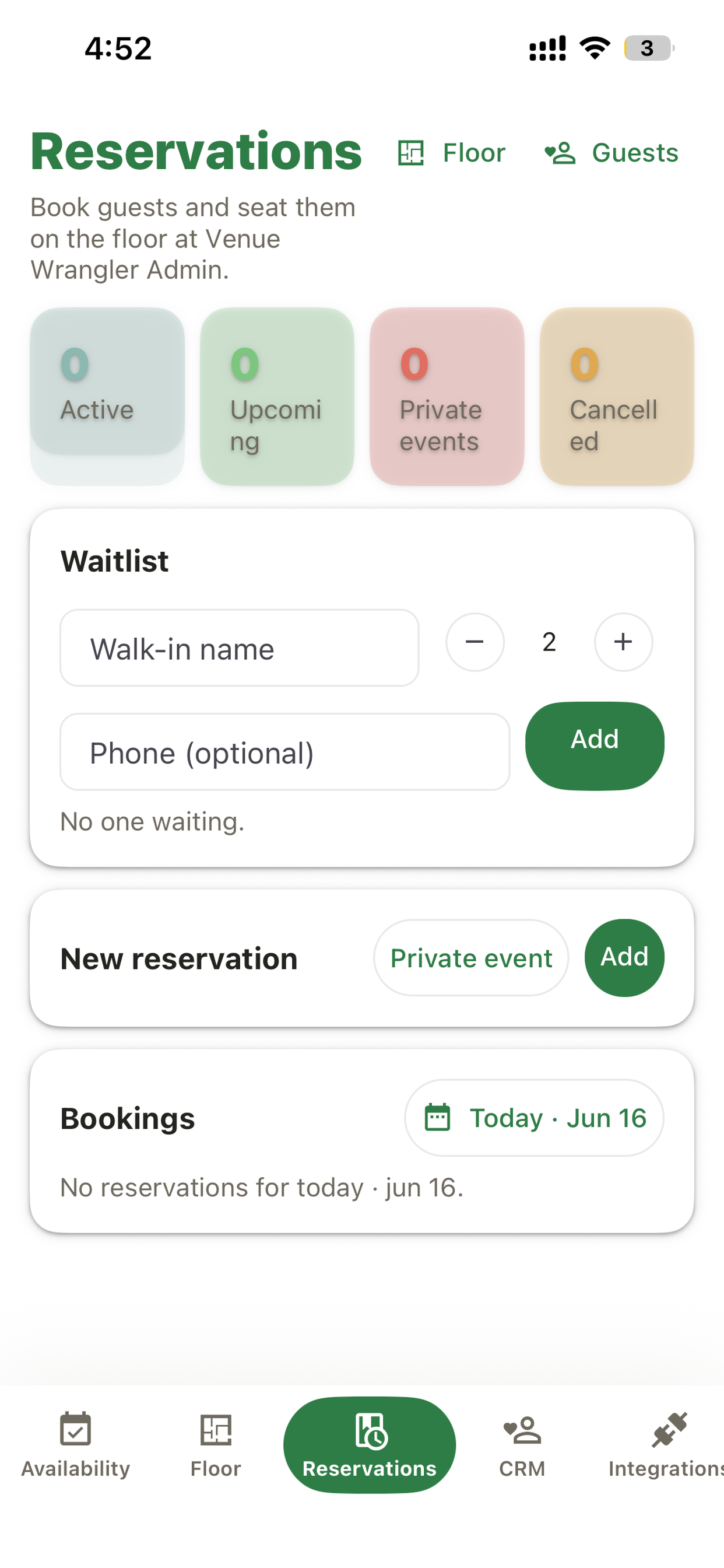
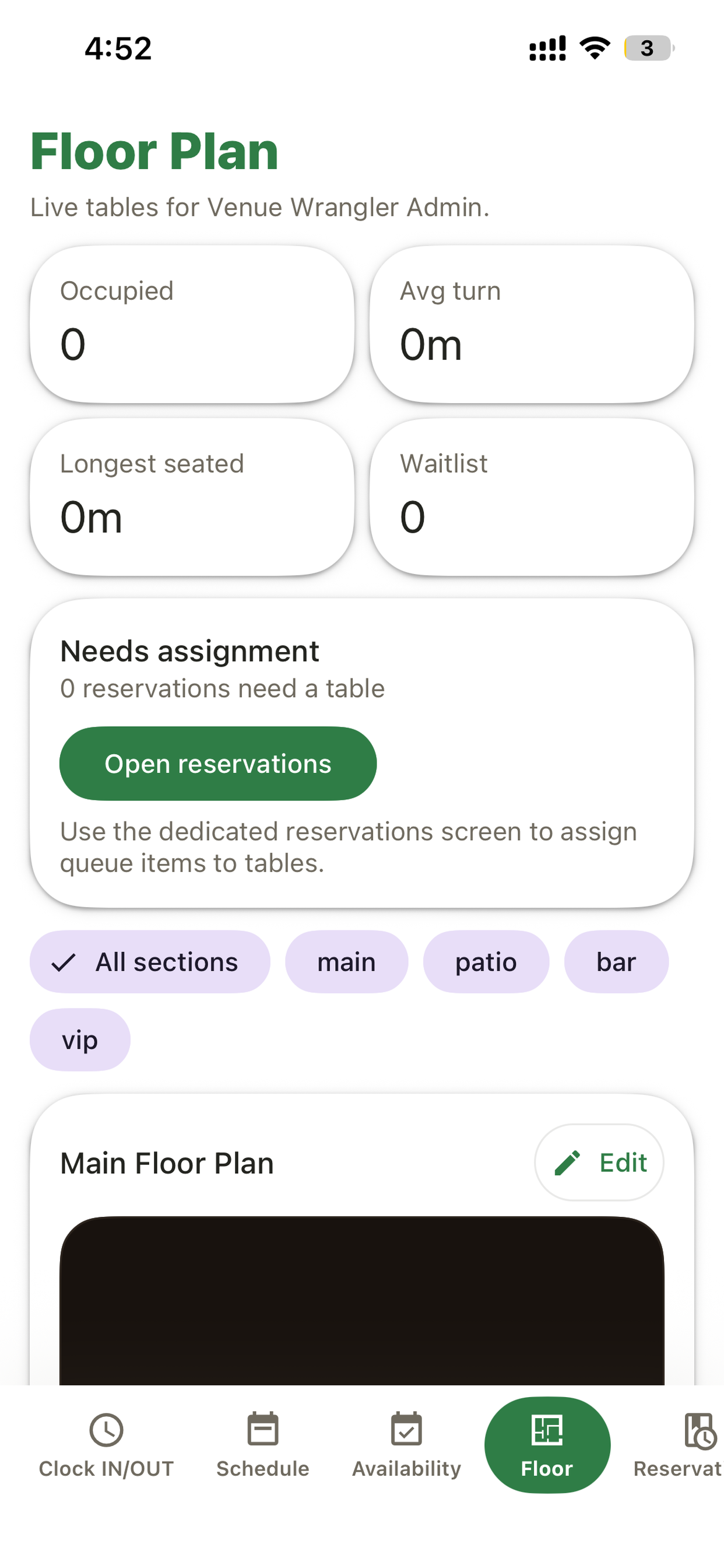
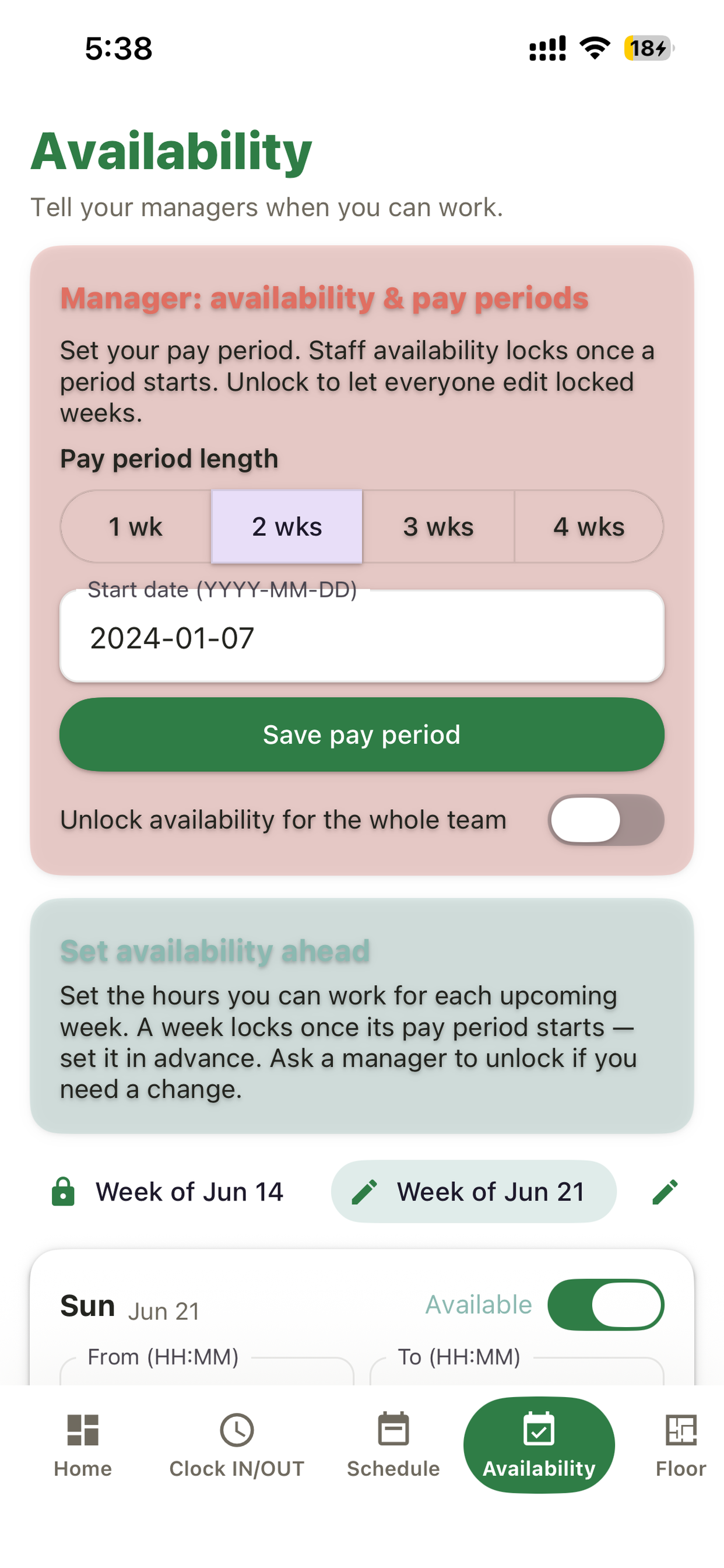
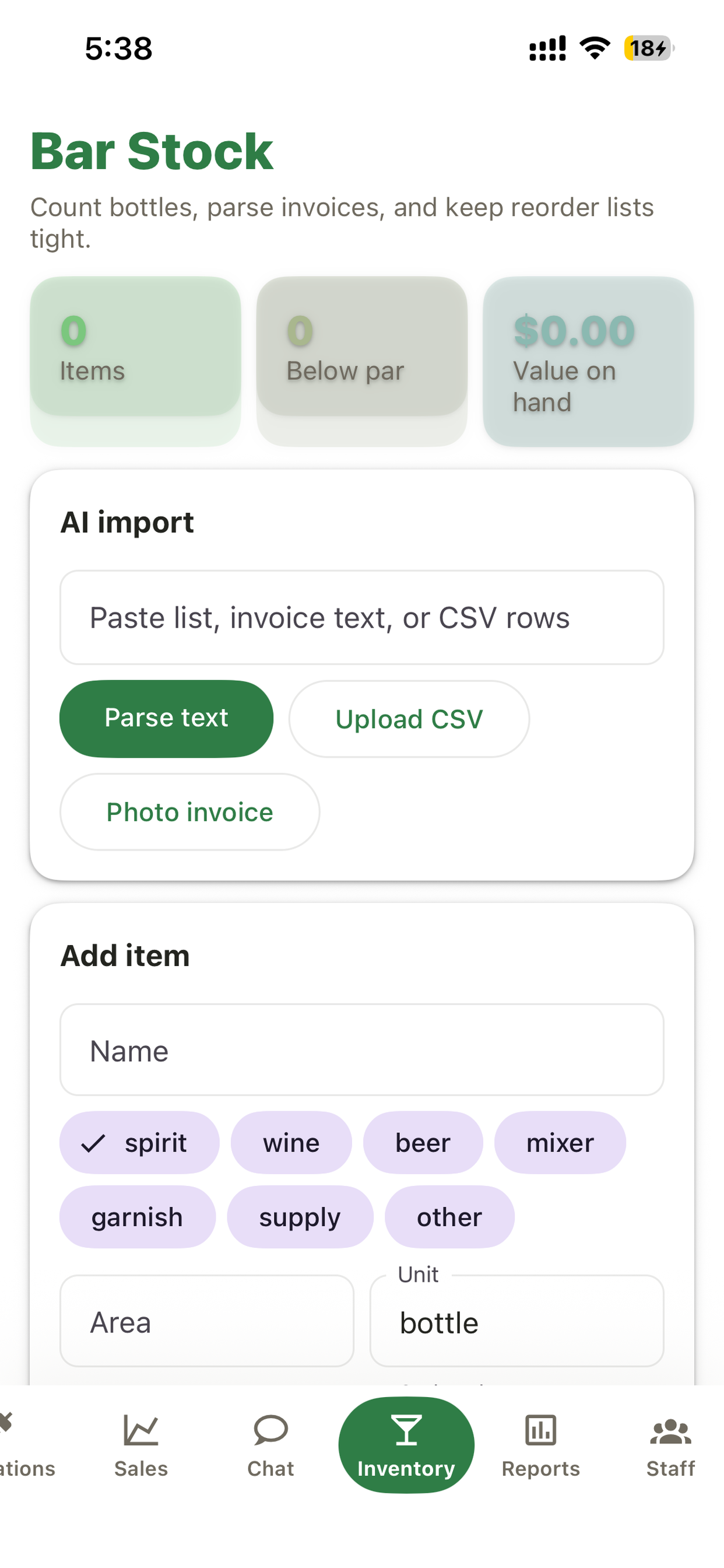
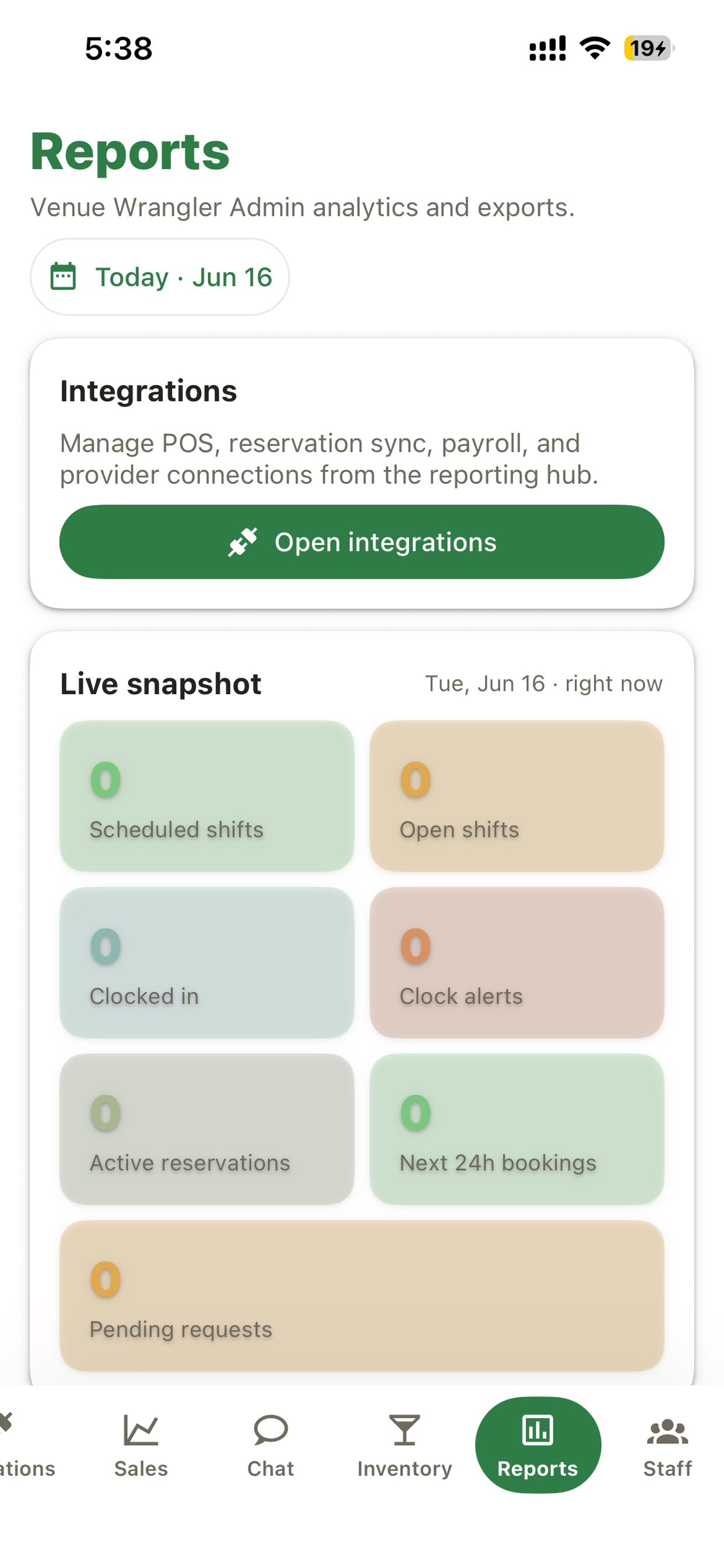
The mobile app is intentionally large, legible, and ready for service. Managers can scan the venue; staff can act without hunting.
Real app screenshots move through the page so teams can see the workflow, not just a generic feature list.
Venue Wrangler replaces the spreadsheet, the group chat, the loose floor plan, and the end-of-night scramble with one connected operating layer.
Build weekly schedules, copy days, apply templates, publish shifts, track edits, manage swaps, and fill open shifts with availability-aware assignments.
Staff submit weekly availability ahead of time. Managers control pay-period windows and unlock exceptions when needed.
When-in-use location verifies clock-ins at the venue, rejects mocked locations, and surfaces late clock-ins or missed clock-outs.
Create bookings, manage walk-ins, seat parties, track private events, export CSVs, and connect reservation providers.
Design sections and tables, track occupancy, merge tables, seat reservations, and keep the floor state visible to the team.
Track leads, notes, BEOs, contracts, guest preferences, spend, follow-ups, and won revenue for private dining and events.
Count bottles, parse lists or invoice text, import CSVs, log movements, flag below-par items, and understand value on hand.
See scheduled shifts, open shifts, clock alerts, reservations, pending requests, payroll summaries, and exports from one reporting hub.
Invite staff, manage roles, send schedule updates, use venue-scoped chat, and keep everyone in the same source of truth.
Venue Wrangler integrates with the payroll and point-of-sale platforms your venue already uses, so data flows automatically instead of living in spreadsheets.
Most hospitality software solves one problem at a time. Venue Wrangler connects every piece of the operation so managers and staff work from a single source of truth.
Built for fast-paced hospitality environments. Large, legible interfaces. Staff can do their jobs from their phones, not just view data.
$99.99/month for the entire workspace — up to 50 staff. No per-employee charges that grow with seasonal hiring. One bill, all features.
Scheduling informed by reservation demand. Staffing decisions see floor plans and event details. Revenue and labor costs roll together into reporting.
Connects to Gusto, Rippling, Square Payroll, Toast, Square, Clover, Shopify POS, Lightspeed, and SpotOn so hours and revenue flow automatically.
Location-verified clock-in at the venue prevents buddy punching. Accurate labor records flow straight to payroll exports with no manual entry.
Replaces separate apps for scheduling, reservations, floor plans, inventory, payroll, and chat. One workspace means one login, one interface, one source of truth.
Whether you're a full-service restaurant, a cocktail bar, a boutique event space, or a hotel with multiple outlets, Venue Wrangler is purpose-built for how you actually run the operation.
Full-service, casual, and fast-casual dining. Coordinate servers, kitchen staff, and bussers. Manage covers, reservations, inventory, and labor costs in one app.
Cocktail bars, nightclubs, and lounges. Track bartenders and servers, manage bar stock, handle reservations for VIP tables, and monitor labor during peak hours.
Banquet halls, wedding venues, and event spaces. Manage private events with CRM, BEOs, and contract tracking. Schedule staff for private dining and coordinate with catering.
Restaurant, bar, and room service operations. Consolidate scheduling and reservations across multiple outlets. Sync POS and payroll data across departments.
How Venue Wrangler brings everything together in real time.
Start on the web, then log in with the same email in the iOS app. Your business, owner profile, and venue workspace stay in sync.